Your Uncommonly Amazing WordPress Tech Partner
WordPress Plugin Development

WordPress Plugin Development Services

Custom plugins built, extended, or rescued by a team that has kept membership and course sites running for over a decade. When we build it, you own it, no recurring license.

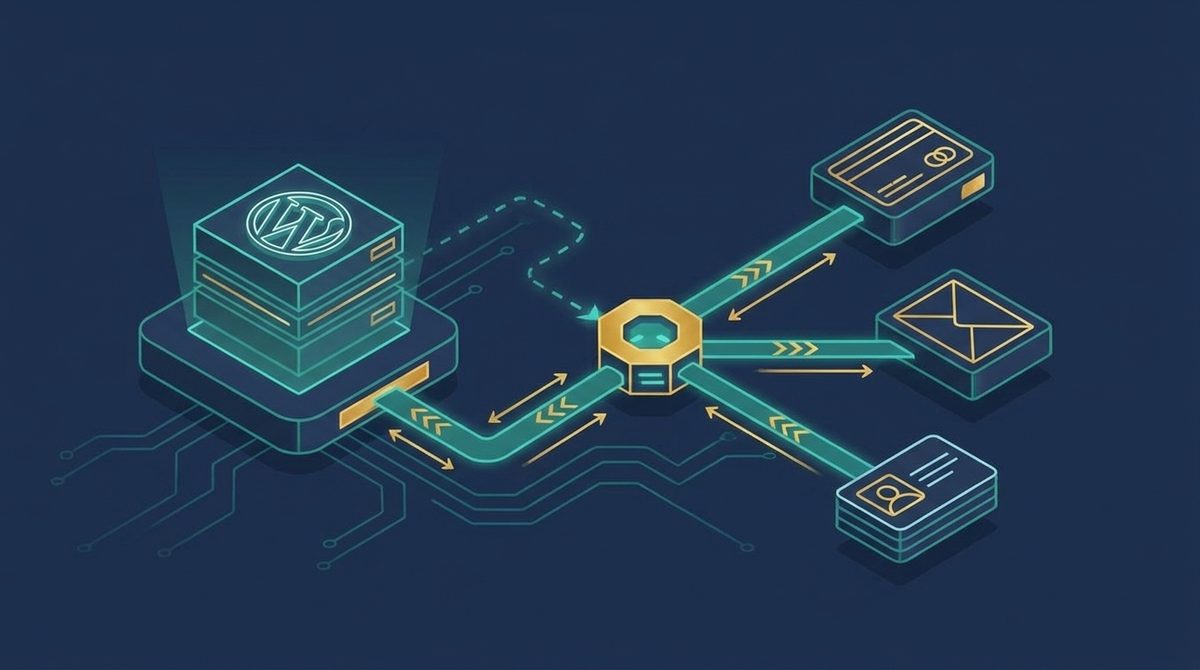
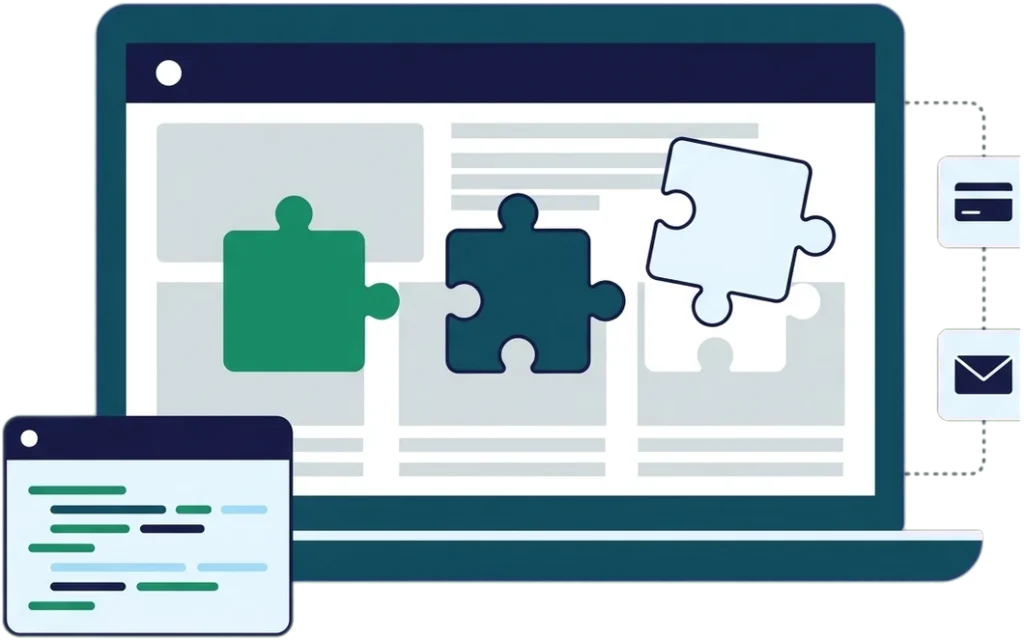
Illustration of plugin puzzle pieces snapping into a WordPress dashboard, with a code panel and connected payment and email cards

Trusted by teams using

LearnDashMemberPressMembership Geeks

What is WordPress plugin development?

WordPress plugin development is building what WordPress and your current plugins do not do out of the box: a brand-new plugin, an extension to one you already run, an integration between two tools that do not talk to each other, or a fix for custom code that broke after an update.

If you are looking to hire a WordPress plugin developer, know this first: most problems do not need a custom plugin. On a call we will tell you whether yours does, and roughly what it would take to build.

What we build

Two-way sync between a WordPress site and payment, email, and CRM systems

New custom plugins

When your workflow needs functionality that no existing plugin provides, we build it as a proper standalone plugin: self-contained and documented so the next person can understand it. Example: the custom category-and-tag content-protection plugin we built for a 17-year-old membership site running Paid Memberships Pro (see proof below).

Extensions and add-ons for the plugins you already run

Most of our work is extending what you already have: MemberPress, MemberMouse, LearnDash, WooCommerce, Paid Memberships Pro, Restrict Content Pro, Gravity Forms. We build against each platform’s own developer hooks instead of editing plugin files directly.

Integrations between your tools

A lot of "we need a plugin" turns out to be "we need these two systems to talk to each other." We connect WordPress to CRMs, payment processors, email platforms, Airtable, Zapier, and custom APIs, so member data, payments, and access flow automatically instead of by hand. Example: the enrollment and billing automation we built for Realtime Voice Training (see proof below).

Fixing and rescuing existing custom code

Inherited a site with custom plugins nobody documented, or code that breaks on every WordPress update? We audit it, tell you honestly whether to fix or replace it, and then do the work. Example: the emergency fix we built when the BuddyBoss 3.0 update broke client sites (see proof below).

Performance and security hardening

Slow, insecure, or bloated plugin code costs you members. We profile what your plugins are actually doing and rewrite the parts that are hurting you.

Real projects, real clients

Plugins we’ve actually built

Four real projects: what was broken, what we built, and what changed. We write our own plugins too, when the market has not solved a problem: our Magic Login Link plugin came out of exactly that.

TechServe Alliance: a plugin that doesn’t exist commercially anywhere else

The problem

TechServe Alliance is a national staffing trade association whose BuddyBoss community is linked to a WordPress LMS by single sign-on. When they migrated platforms, reply-by-email (answer a forum notification straight from your inbox, no login needed) didn’t survive the move. No commercial plugin does this for BuddyBoss. Engagement had dropped far enough that leadership was considering moving the community off the platform.

What we built

We built one instead: a custom plugin handling the full reply-by-email loop across four email providers, with thread matching, per-thread unsubscribe, and automatic bounce handling. The plugin belongs to TechServe now. They don’t pay a license fee for it, and they don’t need us to keep it alive.

The result

Forum topic creation is up 87% year over year, with 38,890 reply-enabled notifications sent in the first month alone.

Read the full TechServe Alliance case study

Genealogy Gems: protecting 300+ pages a plugin wasn’t built to protect

The problem

Lisa Louise Cooke has run her genealogy education membership site for 17 years. Paid Memberships Pro protects posts by category and tag out of the box. It doesn’t do that for pages, and her site had over 300 member-only pages.

What we built

We built a custom plugin that adds category and tag protection to pages.

The result

Lisa can protect a page the same simple way she already protects posts. No manual per-page setup, on any of the 300+ pages.

Read the full case study

BuddyBoss 3.0: classic forum admin restored in about two hours

The problem

In May 2026, BuddyBoss shipped a major update as an automatic release with no public beta. When it reached our clients weeks later, it broke different things on three different sites: WP Fusion access fields disappeared from the forum admin on one, group access fields vanished on another, and on the third, course enrollment stopped and a private cohort forum was exposed to the entire membership.

“BuddyBoss’ new admin UI for forum topics and replies is a PROBLEM. ACF fields no longer appear, nor do WPF access fields. There’s also no way to duplicate a topic template as a draft and then publish it.”
The client who reported it.

What we built

We built a small plugin that restores the classic admin screens and the missing fields, fully reversible, no database changes. It took about two hours to build. We also re-architected course access and re-secured the exposed forum the same day it was reported.

The result

BuddyBoss shipped its own compatibility fix about 50 days later, and it covered the settings screens but not the classic forums admin.

Read the full BuddyBoss 3.0 case study

Realtime Voice Training: from 20 minutes of manual admin per signup to zero

The problem

Charlene Hansard runs a court reporter certification-prep course on LearnDash and WooCommerce Subscriptions. Every enrollment and every installment payment ran through her personally, 15 to 20 minutes each, eating half her day during enrollment rushes.

What we built

We built checkout automation on WooCommerce Subscriptions and CartFlows, automatic LearnDash enrollment on payment, a three-stage failed-payment recovery sequence, and a new FluentCRM integration, all built and launched in six weeks.

The result

When she raised her price for the first time in 14 years, 71 signups in one month went through with no manual admin. Same sales volume, 15.38% more profit. By our good-faith estimate, that’s around 24 hours of hands-on work avoided (an estimate, not a tracked figure).

“It’s ungodly if I’d had to do it myself.”
Charlene Hansard. Read the full Realtime Voice Training case study

Is a custom plugin the right call for you right now?

Good fit if

Probably not yet if

How we work

We take full ownership of the outcome, not only the code.

Step 1
Scope

We scope the work with you before we write anything, so you know what it costs and what you are getting.

Step 2
Build and test on staging

We build in a staging environment and test there for plugin conflicts, security, user experience, functionality, and performance before anything touches your live site.

Step 3
Launch

It goes live on your site once it is tested and approved, and you own the code outright when it ships. No recurring license.

A custom plugin is only worth building if it keeps working, so if you want us maintaining what we built after launch, a Managed TechOps retainer covers it, month to month with no minimum term.

You can see what that looked like on four real projects above. Here’s what it costs to get there.

What determines your plugin project’s cost?

We’re not going to give you a number here that means nothing without knowing your project, the way “starting at $X” pricing on a services page always does. What we can tell you is what drives the cost, what small and large projects actually look like, and what happens on the call before you pay for anything.

What is doing this by hand actually costing you?

Three numbers: how often the task happens, how long it takes, and what your time is worth. Nothing you enter is saved or sent anywhere.

Examples: enrollments processed, orders reconciled by hand, members tagged or moved between access levels.

For reference, manually processing one enrollment at Realtime Voice Training took 15 to 20 minutes.

$

Weight it by who actually does the task, not just what you pay yourself.

How the math works: (how often it happens × minutes each) ÷ 60 gives the monthly hours, × your hourly value gives the monthly cost, × 12 gives the year. This is an estimate of the value of the time your team spends on manual admin, not a development price. Everything is calculated in your browser, and nothing you enter is saved or sent anywhere.

Value of doing this by hand

$300 a month

$3,600 a year

That's 72 hours a year going to one manual task.

For comparison, the enrollment and billing automation we built for Realtime Voice Training took six weeks to build once, then ran hands-off from there.

What drives the price:

  • Scope of the outcome. A one-hook extension that changes one specific behavior in a plugin you already run is a different project from a plugin built from nothing.
  • How many systems it touches. A plugin that only lives inside WordPress is simpler to build and test than one connecting to two or three external APIs, where every provider’s quirks (rate limits, webhook reliability, auth) add real testing time.
  • Whether there’s existing code to untangle first. Rescuing undocumented custom code means we have to understand it before we can safely change it. That discovery time is real, and we will tell you up front how much of it your project needs.
  • Ongoing maintenance. WordPress core, PHP, and the plugins you depend on all keep shipping updates, and even well-built code needs someone watching it. A Managed TechOps retainer is how you keep someone watching for the update that breaks something.

What a small engagement looks like: the BuddyBoss 3.0 emergency fix above was built in about two hours because the scope was narrow and urgent: restore the classic forum admin screens and the WP Fusion fields that went missing with them.

What a large engagement looks like: the Realtime Voice Training enrollment automation took six weeks, because it meant a new checkout flow, automatic enrollment, a failed-payment recovery sequence, and a brand-new CRM integration, built and tested together. Those two are the ends of the range we can point to: about two hours, and six weeks.

What happens on the call: a conversation with a technical team member, not a salesperson. Tell us what outcome you want. We’ll tell you honestly whether a custom plugin is the right way to get it, or whether something simpler already does the job. If it’s a plugin project, we scope it and tell you what it would take before any code gets written.

What clients say

  • Read Avery West’s story
  • Read Don Crosby’s story
  • The whole process felt effortless. Elizabeth had everything under control from start to finish, and now it’s live, it’s genuinely easy to use.

    Faye ClowesFree Movement Read the case study
  • It is just beautiful… I actually want to go to this website… you should be very proud of your team.

    Michele ClarkeTechServe Alliance Read the case study
  • I just wanted to thank you for updating my checkout page. Your tweaks have made a difference. This recent launch my upsells went from 28% to 34% and the only thing that changed was the work you did on the checkout page.

    Natasha DanielsAT Parenting Survival Read the case study

The work behind it

  • TechServe Alliance Reply by email built for BuddyBoss, making a platform migration unnecessary Read the case study
  • TechServe Alliance A patchwork of legacy systems replaced with one modern membership platform Read the case study
  • Free Movement Individual logins replaced with campus-wide access for a legal publisher Read the case study
SOME OF THE AWESOME FOLKS WE’VE WORKED WITH
ProcessDriven logo
Paul Wilson Golf logo
Splasheo logo
Nomad Capitalist logo
Echelon Front logo
AuthorityHacker logo

Tell us about your plugin project.

WordPress Plugin Development

Tell us about your plugin project.

A chat with a technical team member. We’ll hear you out, discuss what you need, and tell you what it would take to build.

✓ Book a chat, or just get a reply within one business day
✓ Talk to an expert who helps first, not a hard sell
✓ Trusted by 100+ membership sites
Trusted by teams using
LearnDash MemberPress WP Fusion

WordPress Plugin Development FAQ

How much does a custom WordPress plugin cost?

It depends on scope, the number of systems involved, and whether there’s existing code to untangle first. Two real examples from the ends of the range: an urgent, narrow fix built in about two hours, and a full enrollment and billing automation built in six weeks. We scope every project and tell you what it would take before any work starts. See “What determines your plugin project’s cost?” above for the specifics.

Do I actually need a custom plugin?

Often, no, and we will tell you so. If an existing plugin or a small configuration change solves your problem, that is what we will recommend, because a custom plugin is something you then have to maintain. We only build custom code when it is genuinely the best way to get the outcome you want.

Can you extend or customize a plugin I already have (MemberPress, LearnDash, WooCommerce, etc.)?

Yes, and that is most of what we do. We build against each plugin’s official developer hooks and APIs rather than editing its files directly, so a plugin update does not overwrite our changes. We work across the membership, LMS, and WooCommerce stack: MemberPress, MemberMouse, LearnDash, WooCommerce, Paid Memberships Pro, Restrict Content Pro, Gravity Forms, and more.

Can I use the plugin on more than one of my own websites?

Yes. You own the plugin outright once it ships, so you can run it on as many of your own sites as you like, with no per-site license to buy. If another site runs a different theme or a different set of plugins, test it there before you switch it on, the same as you would with any code.

Can you fix or take over custom code another developer wrote?

Yes. We regularly inherit undocumented custom plugins and code that breaks on updates, including plugins nobody at the client’s team fully understood anymore. We audit it, tell you honestly whether it is worth fixing or should be rebuilt, and then handle it. See the BuddyBoss 3.0 emergency fix above for what that looked like on a real project.

Will the plugin break when WordPress or the plugin updates?

That is exactly what we build to avoid. We use WordPress and platform APIs the way they are meant to be used and follow the WordPress coding standards, which reduces update conflicts. Because things change over years, you can keep us on a Managed TechOps retainer to maintain what we built, month to month.

Do you test the plugin against my other plugins before it goes live?

Yes. Every plugin goes through QA in a staging environment first. We check that it doesn’t conflict with your other plugins, that it’s secure and easy to use, that it does what it’s supposed to, and that it doesn’t slow your site down. It only goes live once it passes and you’ve approved it.

How long does a typical plugin project take?

It depends on what you are building. Two real examples: we built an emergency BuddyBoss admin fix in about two hours, and we built a full enrollment and billing automation system for a course platform in six weeks. We’ll give you a real estimate once we understand what you’re building, not a generic range.

Can you build a plugin for me to sell?

Yes. Some of our clients sell the plugins we build for them as their own products. Tell us how you plan to sell and license it, and we’ll scope the build around that from the start.

Vic DorfmanWritten and reviewed by Vic Dorfman, founder of MemberFix, 10+ years building and maintaining custom WordPress plugins and integrations for membership, LMS, and WooCommerce sites. Last reviewed: September 2026.