
Overview
In this article I'll guide you through easy update or installation of DAP plugin.
Here's what you'll need:
- WordPress Website.
- Paid Digital Access Pass account.
Installing DAP Easy Installer plugin
1 – Log into your DAP account here https://digitalaccesspass.com/dappers/my-account/
2 – Go to your Download Links https://digitalaccesspass.com/dappers/my-account/downloads/
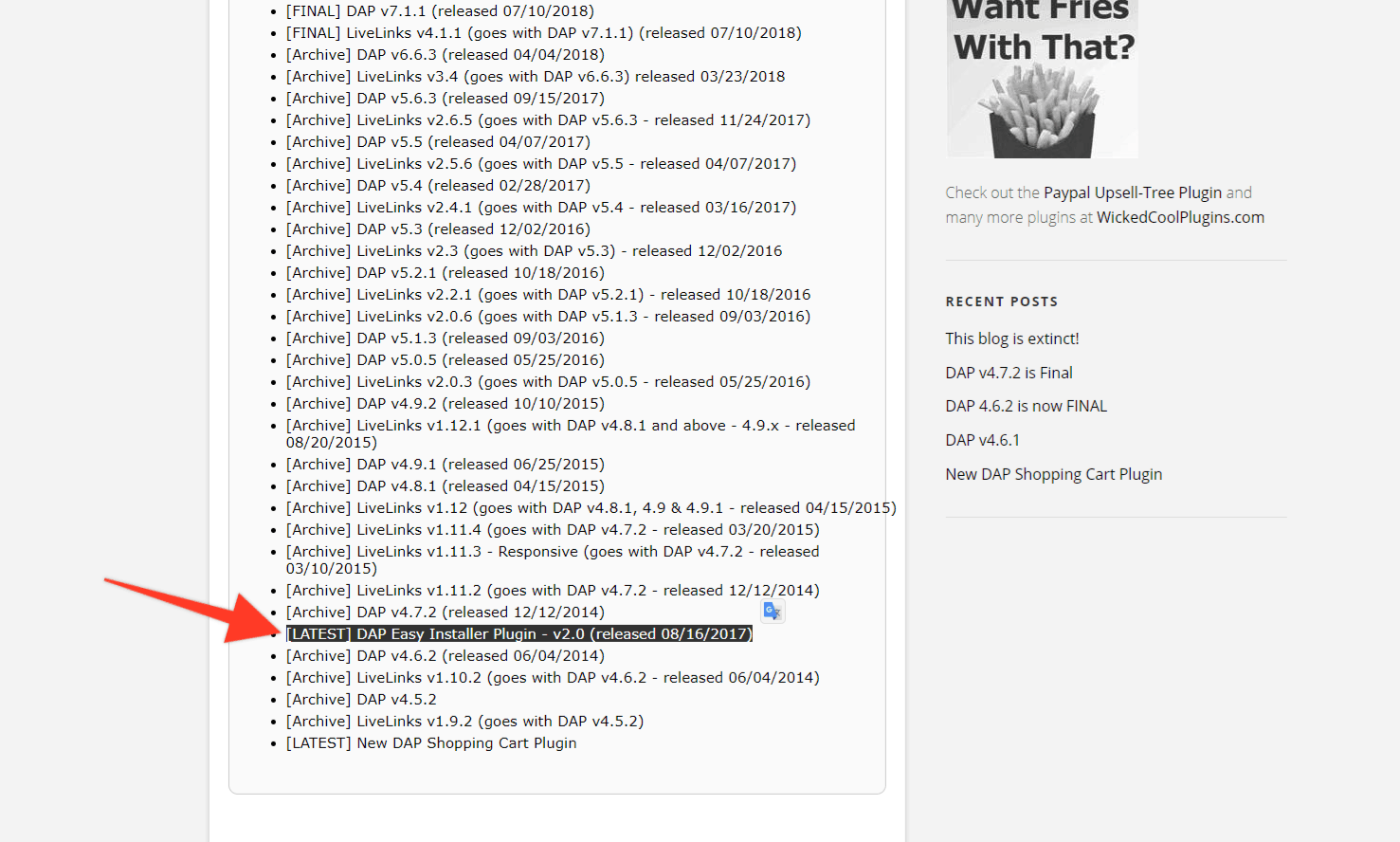
3 – Find Latest DAP Easy Installer plugin and Download it.
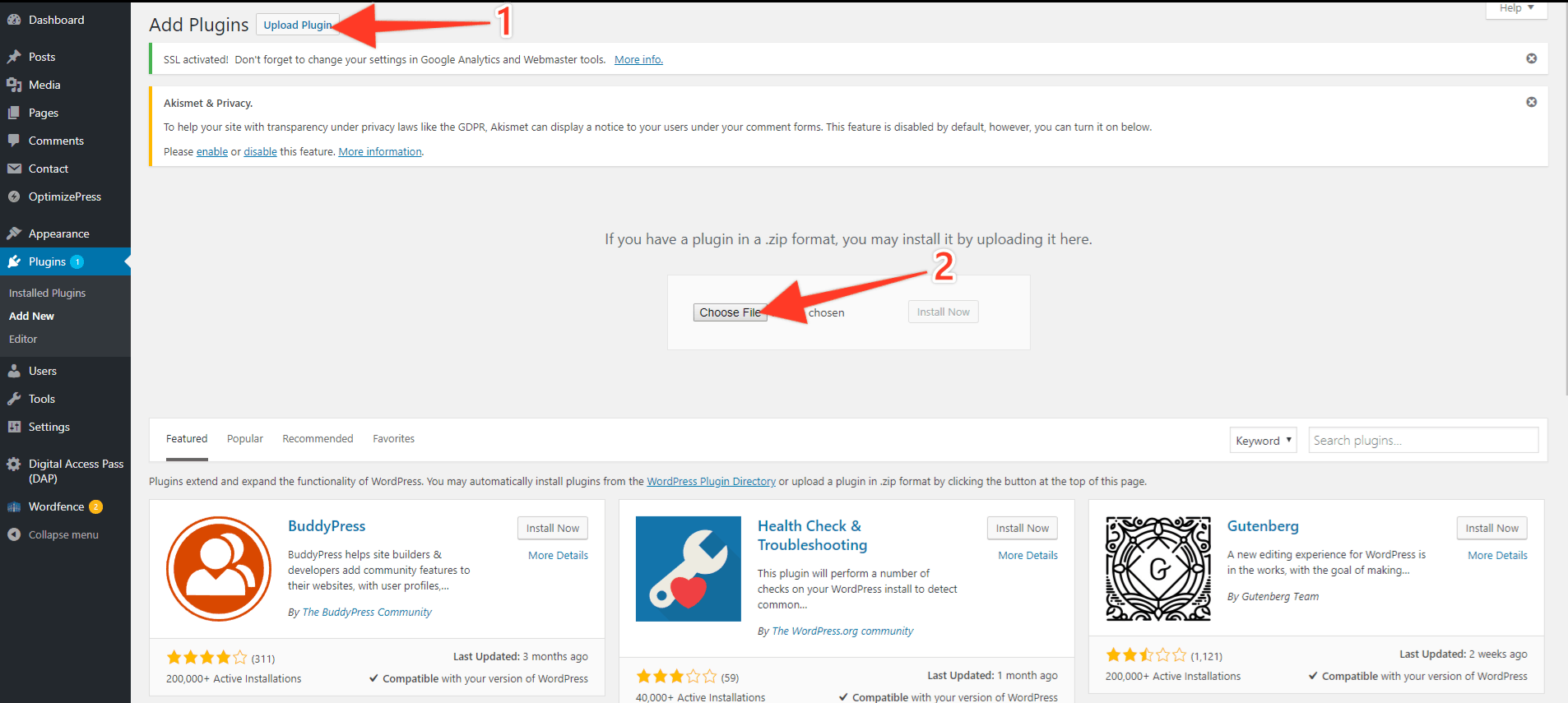
4 – Go to your website WordPress Dashboard and navigate to Plugins => Add New.
5 – Click Upload Plugin and then click Choose File.
6 – Locate dapeasyinstaller_v2.0.zip you just downloaded and click Open.
7 – Click Install Now.
8 – Activate the plugin.
Installing/Updating DAP using DAP Easy Installer Plugin
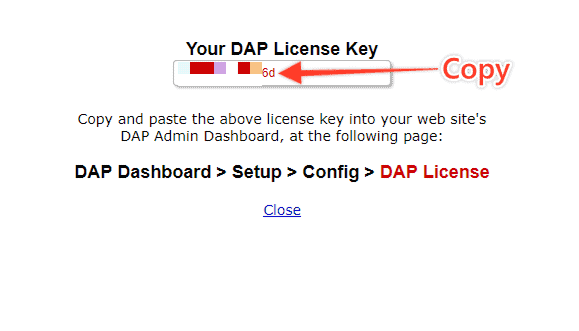
1 – Go to http://digitalaccesspass.com/dap/licenseKeyDappers.php
2 – Copy your Licence Key.
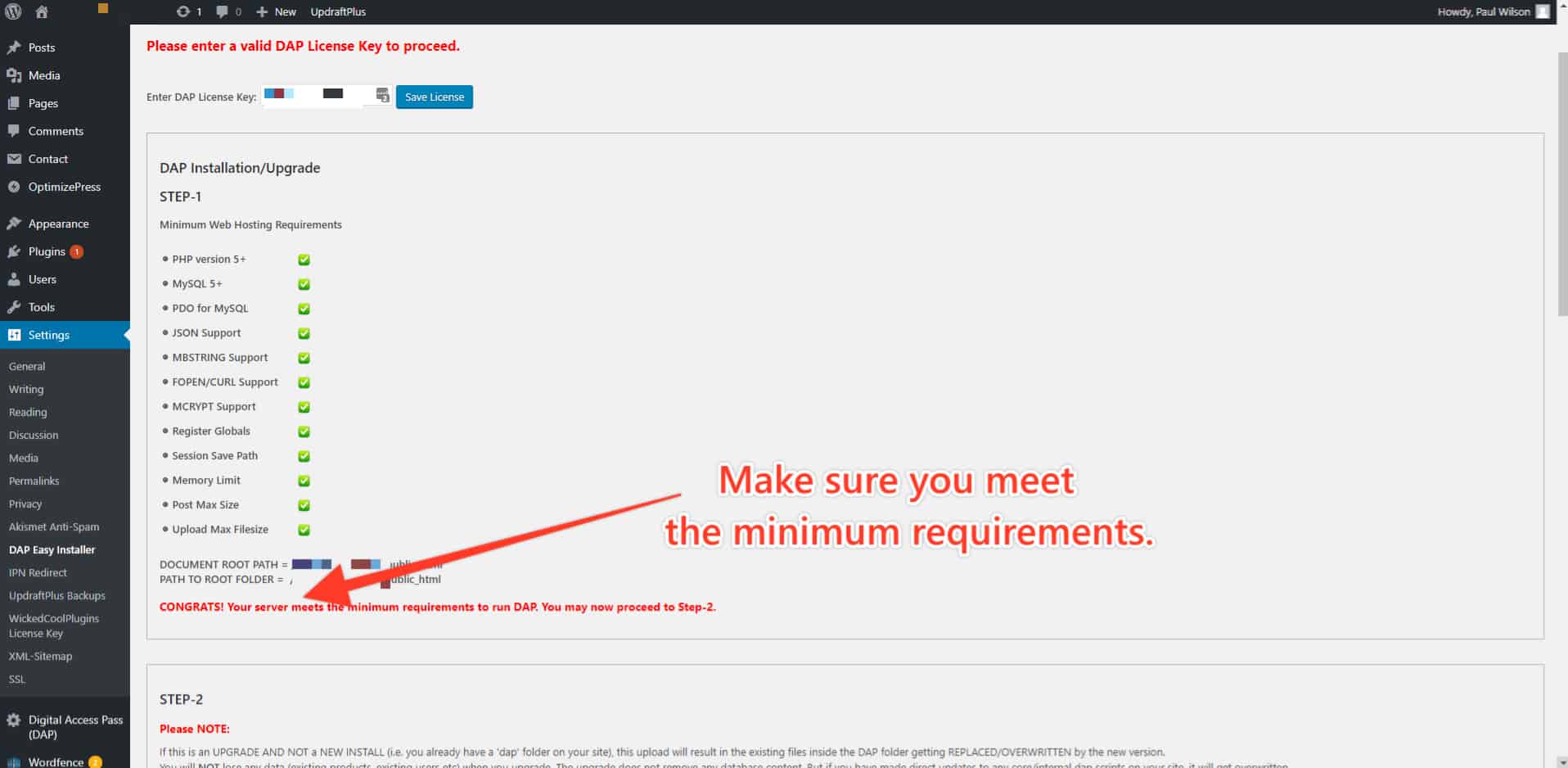
3 – Go to your WordPress Dashboard and navigate to Settings => DAP Easy Installer.
4 – Paste your Licence Key where it say “Enter DAP License Key:” and make sure your server meets the minimum requirements.
5 – In Step 2 select Latest Dap version and Click DAP 1-click install / Upgrade.
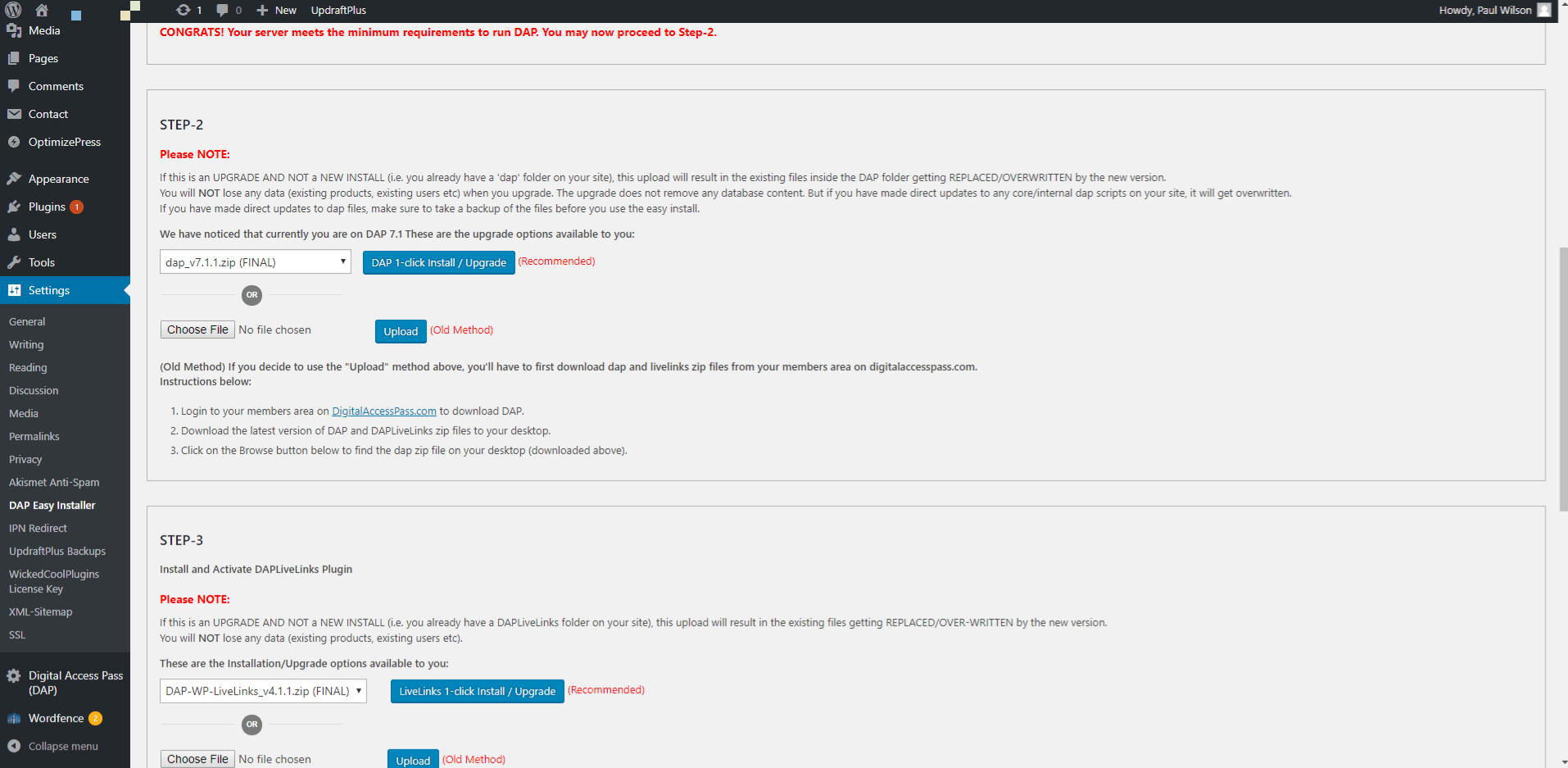
6 – Repeat the same for Step 3.
7 – Follow the instructions from Step 4 to add Cron jobs (if this is an Update, you probably don't need to do this).
8 – That's it. You have successfully installed / updated your DAP plugin!