

Overview
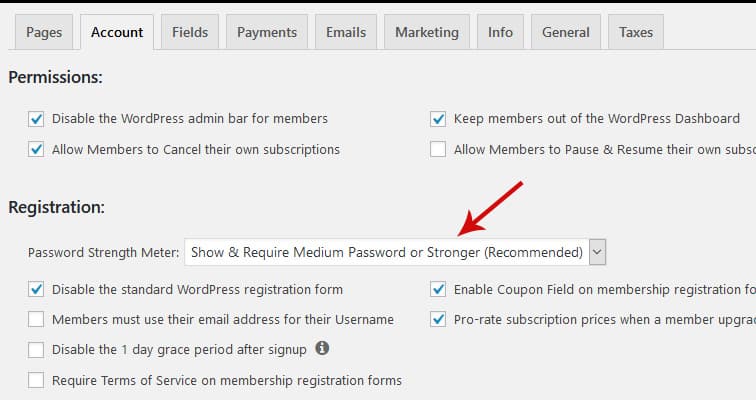
MemberPress is a WordPress membership plugin widely used by our customers here at MemberFix. One of the cool features of this plugin is the ability to show a password strength meter on the new member registration form.
Examining the CSS code of the password strength meter
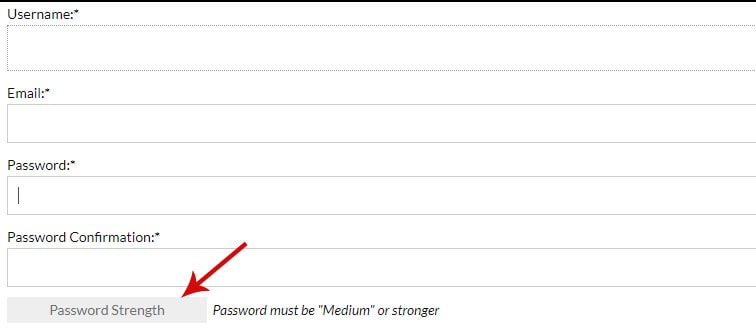
The password strength meter looks like the below:
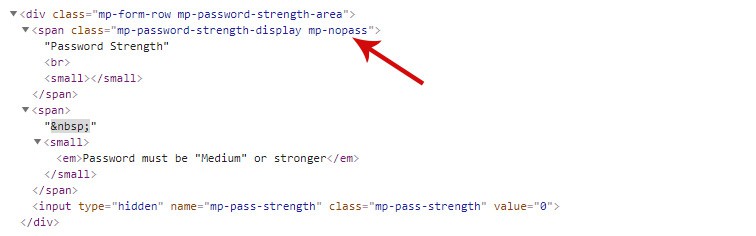
The code behind the password strength meter uses some CSS classes which change dynamically based on the input characters into the Password field. Here's the code with no input characters:
And here's how the code changes when we add a few characters into the password field:
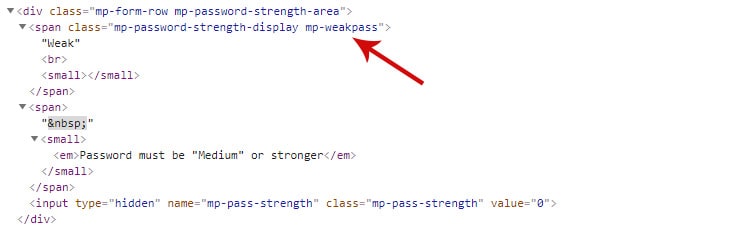
As you have noticed the class changes from “mp-nopass” to “mp-weakpass”. And so we'll need to control these CSS classes. Further, besides these two we also have “.mp-mediumpass” and “.mp-strongpass.”
Adding the CSS code to style the password strength meter
To style this strength meter just go to Appearance > Customize > Additional CSS and add the below code:
/*No Password*/
.mp-nopass{
background: #EEE;
border: none;
color: #707071;
}
/*Weak to Medium*/
.mp-weakpass{
background: #D81E00;
border: none;
color: #000;
}
/*Strong to Very Strong*/
.mp-mediumpass{
background: #1ab073?;
border: none;
color: #000;
}
/*Strong to Unbreakable*/
.mp-strongpass{
background: #5AD869;
border: none;
color: #000;
}
The above colors for the background can be changed to whatever color you want. That is all!
Just let me know if you have questions!