

The Problem
You're having a course WordPress website or some other kind of subscription based WordPress site? And users are able to share their account with their friends or basically anyone, which makes it free for them. But you don't want that.
You want to allow only one person to be logged in per account? How do you do that? It is actually very simple. I will explain in detail below how to do it yourself!
The Solution
All you need to do is add a custom function to your theme.
Here's what you'll need:
- WordPress Website.
- My Custom Functions Plugin installed.
Installing and Activating “My Custom Functions” Plugin
1 – In your WordPress Dashboard navigate to Plugins and click Add New.
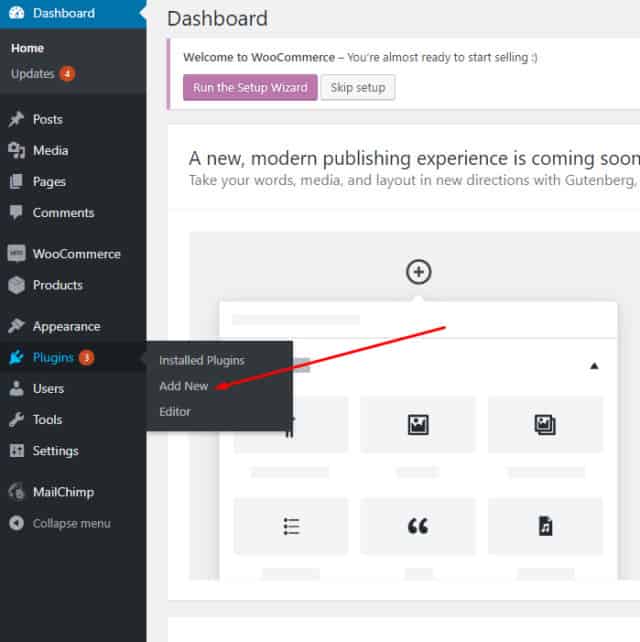
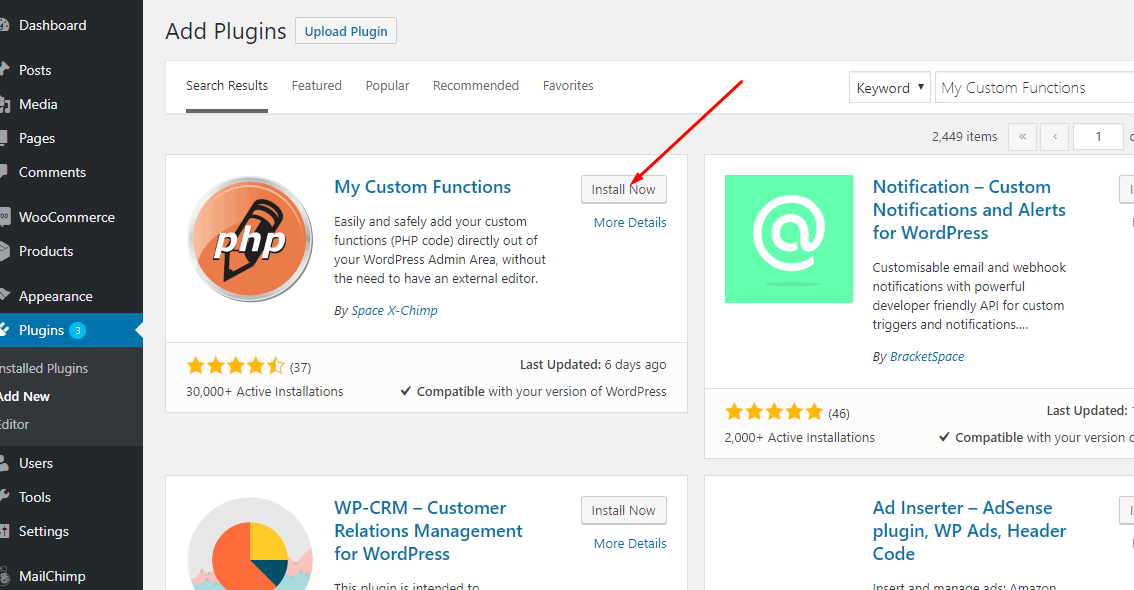
2 – Search for “My Custom Functions” Plugin.

3 – Locate My Custom Functions plugin and click Install Now.
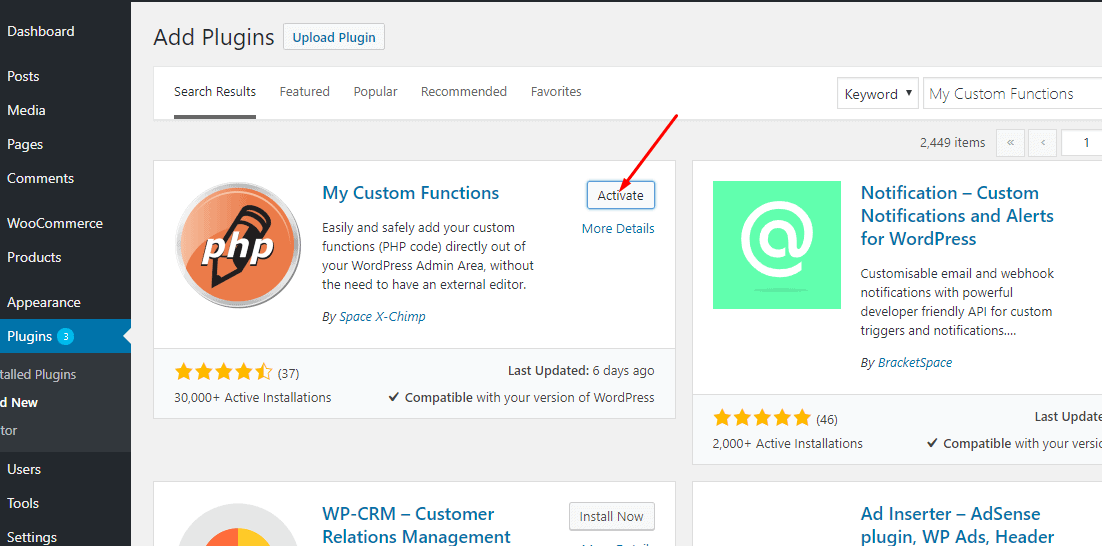
4 – Click Activate.
Adding a Function
1 – After successful installation, navigate to Settings => PHP Inserter.
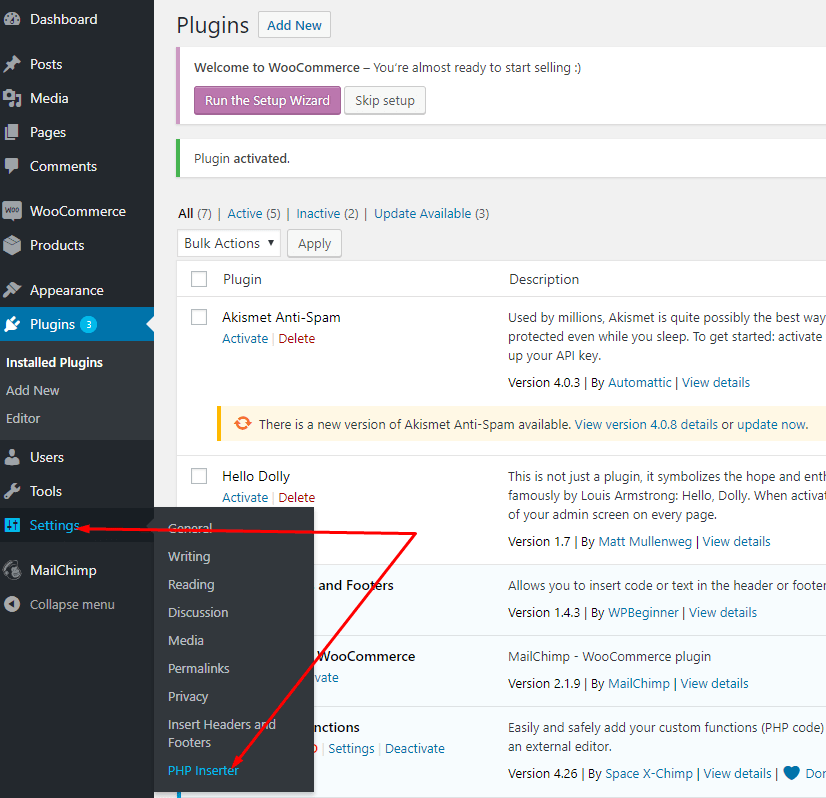
2 – Paste this code:
function only_one_login() {
$token = wp_get_session_token();
if ( $token ) {
$manager = WP_Session_Tokens::get_instance( get_current_user_id() );
$manager->destroy_others( $token );
}
}
add_action('init', 'only_one_login');
Here:
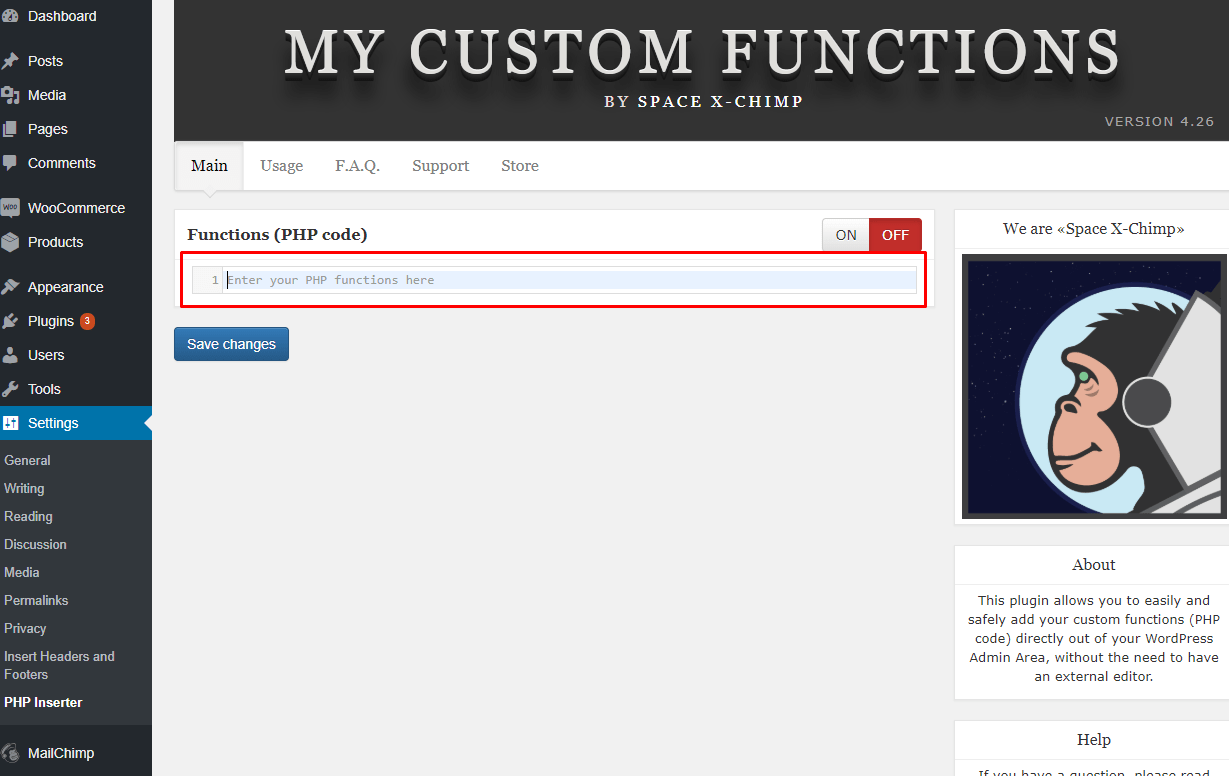
3 – Click “ON” button.

4 – Click “Save Changes” button.
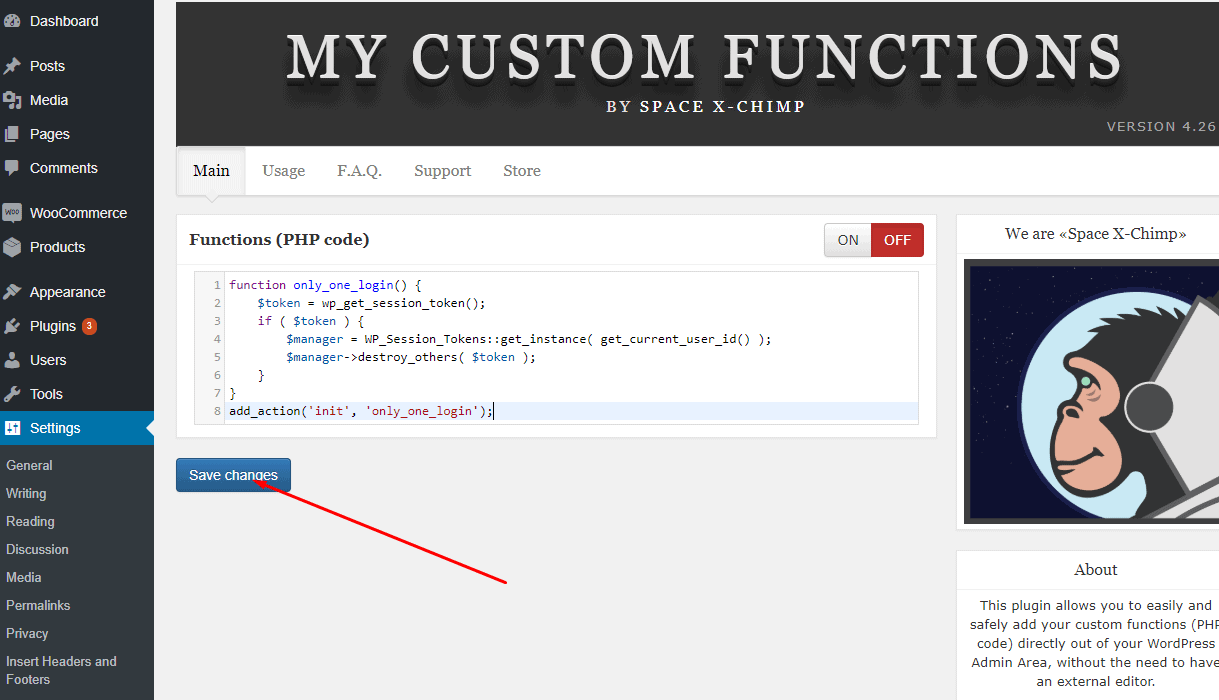
That's it! You have successfully implemented a function that prevents more than one one user to be logged in at a time.